Change queue access

Enter password

Enter the password to open the change queue and review drafts.

V20260505.1901
Stage deploy healthy · Updated May 5, 3:01 PM

Viewing the current page. Start typing in the proposed side to make changes.

Current: Notifications

Administrative Portal > Work > Notifications

Telephone Timesheets has the most robust notifications system on the market. When properly configured, the system will perform the functions of a dispatcher; watching your schedules and employee behavior and taking action whenever there is an issue that needs to be addressed.

Highlights of The Tours Page

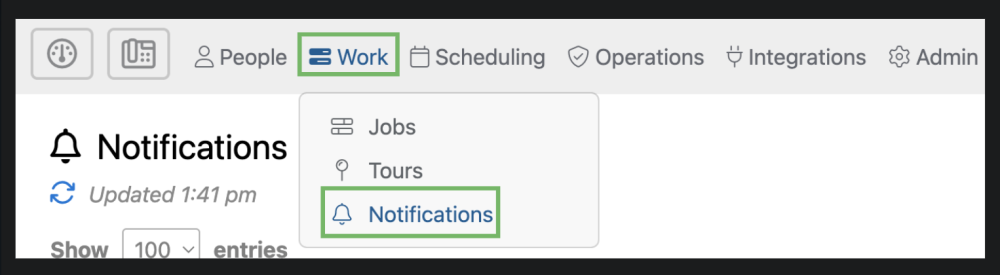
The notifications page can be accessed by selecting “Work” from the top menu and then “Notifications” from the drop down.
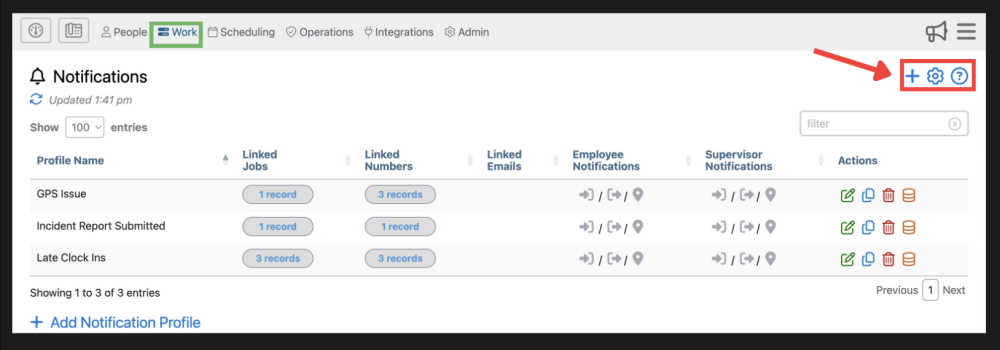
1. Here you can add a Notification Profile , adjust settings , and find additional information about the notifications page .

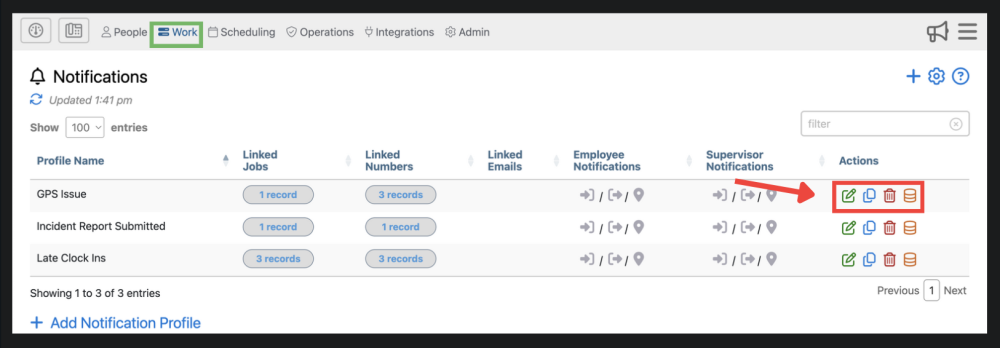
2. Here you can edit , delete Delete Button, copy Notification Profiles , and view audit history

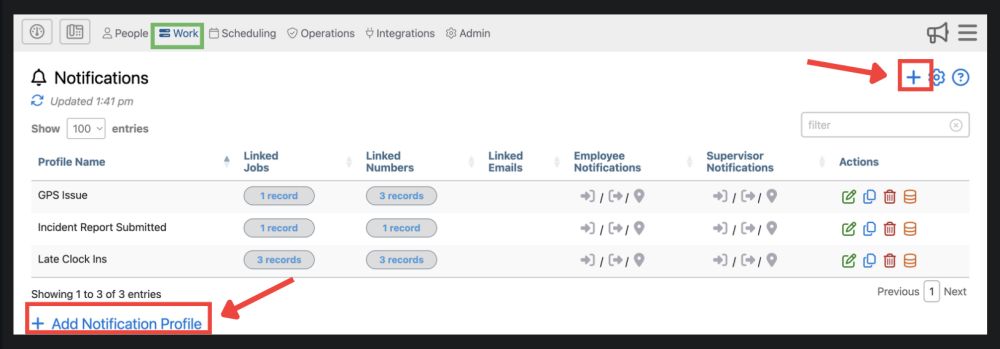
3. Here, you can add a new Notification Profile. This has the same function as the blue plus sign in the upper right corner.

Proposed: Notifications

Administrative Portal > Work > Notifications

Telephone Timesheets has the most robust notifications system on the market. When properly configured, the system will perform the functions of a dispatcher; watching your schedules and employee behavior and taking action whenever there is an issue that needs to be addressed.

Highlights of The Tours Page

The notifications page can be accessed by selecting “Work” from the top menu and then “Notifications” from the drop down.

1. Here you can add a Notification Profile , adjust settings , and find additional information about the notifications page .

2. Here you can edit , delete Delete Button, copy Notification Profiles , and view audit history

3. Here, you can add a new Notification Profile. This has the same function as the blue plus sign in the upper right corner.