Current: Announcements
Announcements help administrators send important messages to employees. Announcements can be used for check-in messages employees see while clocking in, or for scheduled messages that are sent immediately or at a chosen date and time.
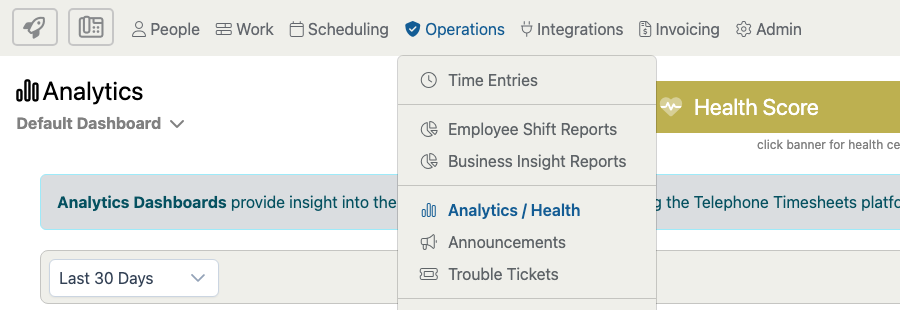
Open the page from Operations > Announcements.
The Announcements page is organized into Check In and Scheduled views. Use Check In for messages tied to employee clock-in. Use Scheduled for messages that should be sent now, sent later, or reused as templates when available.
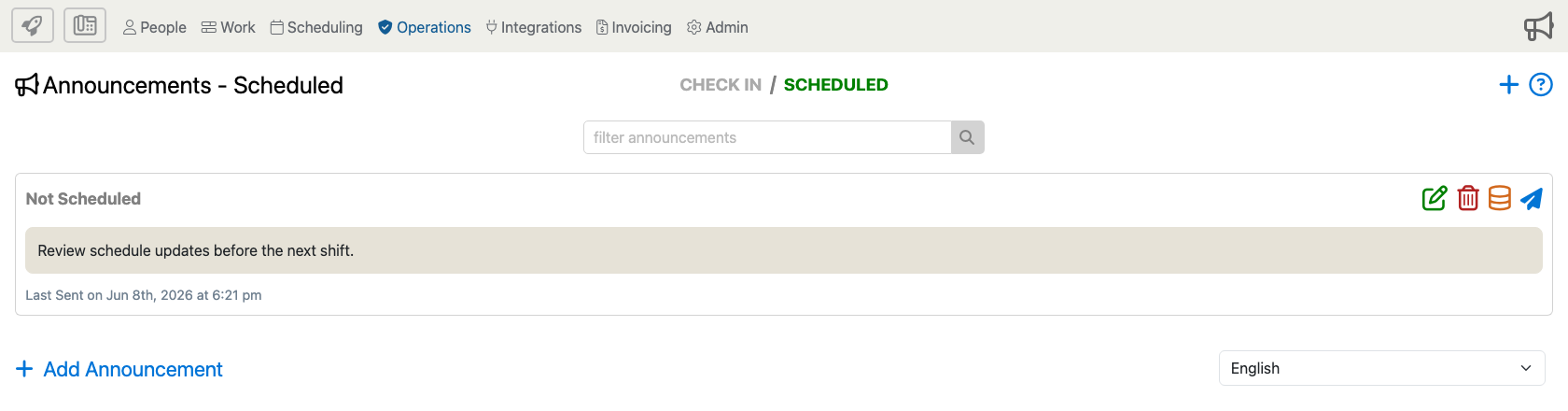
Highlights Of The Announcements Page
Announcement Categories
The Check In and Scheduled tabs switch between the two announcement types. Check-in announcements are shown during employee clock-in workflows. Scheduled announcements are sent by text or app notification based on the timing and audience you choose.
Search And Review Existing Announcements
Use the search field to narrow the visible announcement list before editing, deleting, auditing, or sending a scheduled announcement. Scheduled announcements show their timing status and recent send information when available.
Add A New Announcement
Use the plus icon  in the upper-right corner or the + Add Announcement link at the bottom of the page to open the Add Announcement form.
Scheduled Announcement Actions
Use the green pencil to edit a scheduled announcement, the red trash icon to delete it, the audit history icon to review related history, and the send icon to send an available scheduled announcement immediately.
Language Selector
When your company supports multiple employee languages, use the language selector to review or manage announcement wording for the selected language.
Check In Announcement Options
Check-in announcements can include priority, active dates, message text, employee targeting, job-site targeting, always-play behavior, acknowledgement requirements, advanced options, and supported attachments. Some fields only appear when your company uses the related settings or modules.