Current: Billing
The Billing page covers how Telephone Timesheets charges your company account. It is separate from the customer invoicing tools used to bill your own clients.
Visible cards vary by account status. Stripe subscription accounts can show payment methods and recent charge history, while testing, prepaid, or invoice-managed accounts can show different balance and status messages.
What Billing Controls
Billing determines whether your Telephone Timesheets account is in good standing, whether payment information needs attention, and whether administrators can keep the account active or close it.
The current product also uses billing state to decide whether the portal should show warnings or access restrictions after failed payment attempts.
What You Can Do On The Billing Page
From the portal, admins can generally:
- update billing contacts
- review trial timing or the next billing date
- review account-balance and billing-status alerts
- manage payment methods through Stripe when Stripe billing is enabled
- review recent Telephone Timesheets billing history
- begin account-closing actions
Main Billing Sections
On a fully active Stripe-managed account, the Billing page can combine several customer-facing sections in one place:
- Billing Contacts for who receives billing emails and billing-related text alerts
- billing-date information such as trial timing or the next billing date
- account-status notes when billing needs attention
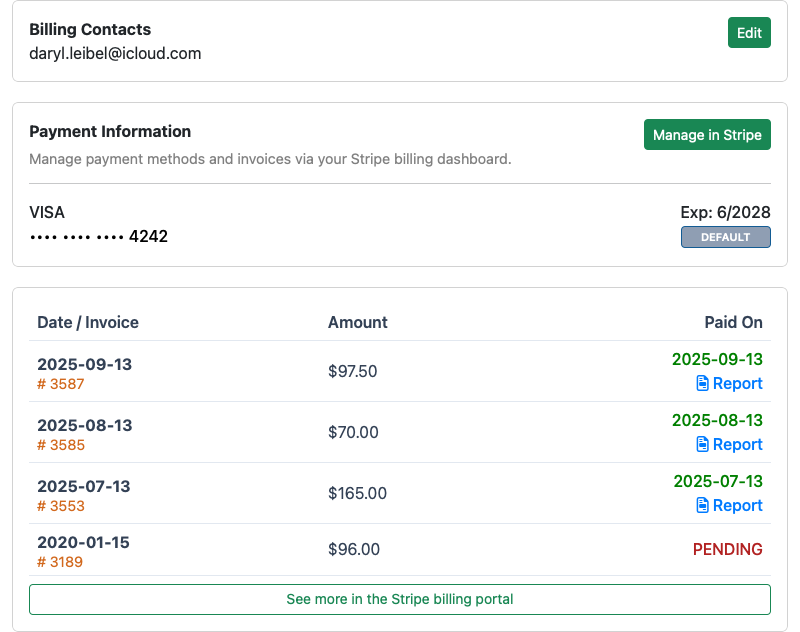
- Payment Information showing the current default payment method
- recent Telephone Timesheets billing history
Testing, prepaid, and invoice-balance accounts can show a simpler version of the page.
Billing Contacts
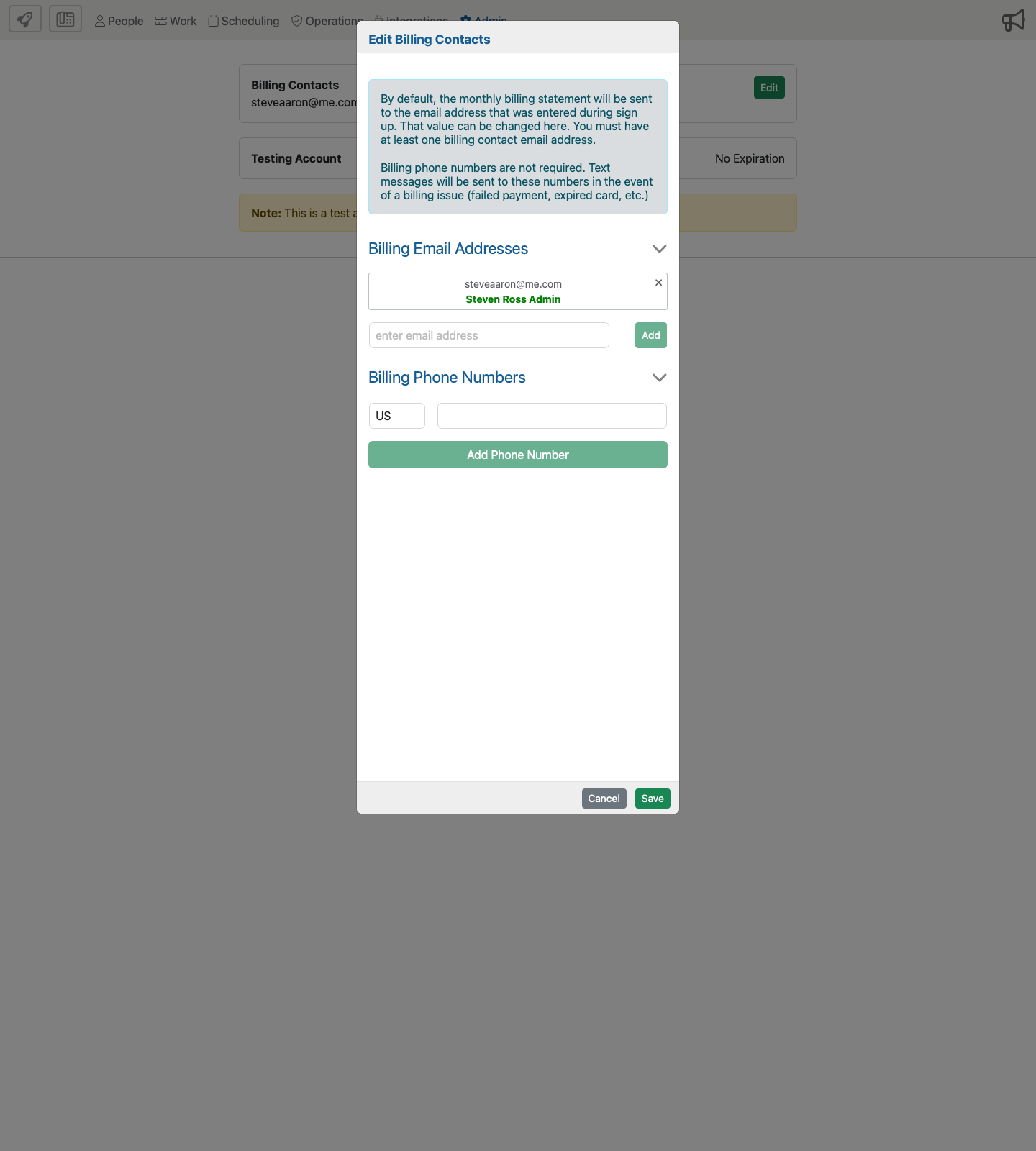
The Edit action on the Billing Contacts card opens a form for maintaining billing email addresses and billing phone numbers used for billing-issue text alerts. At least one billing email address is required.
Payment Methods And Alerts
For Stripe-managed accounts, the Billing page includes a Manage in Stripe action so admins can update cards, bank-account payment methods, and other Stripe-supported payment details without entering them directly into the Telephone Timesheets portal.
The Billing page can also show account-status guidance when payment details are missing, a payment attempt has failed, the account has been locked for billing reasons, or a prepaid or invoice-balance account needs attention.
Billing History
When recent Telephone Timesheets billing records are available, the Billing page shows a history table with:
- charge date and internal invoice number
- amount charged
- paid date or pending status
- report links when a billing report is available
For Stripe-managed accounts, admins can also continue into Stripe for a longer history view.
What Billing Does Not Cover
Billing is not the place where admins define customer invoices or review invoice payment-event history. Those workflows now live in separate manual pages:
- Invoices for customer invoice definitions and invoice history
- Payments for payment events tied to customer invoices
- Close Account for permanently closing the Telephone Timesheets account