Editing Action Points
Edit an Action Point when the physical QR code should keep working but the setup behind it needs to change. Common edits include clearer instructions, a corrected job, a changed request type, a PIN, photo settings, ticket priority, or updated footer text for the printed sign.
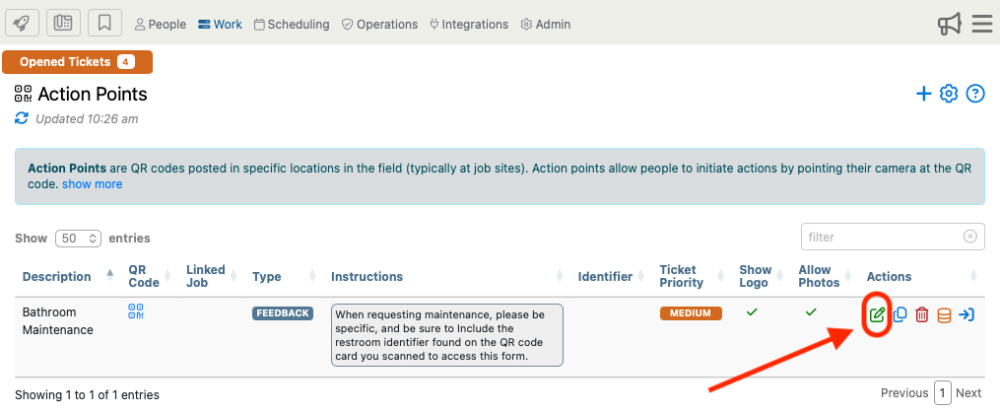
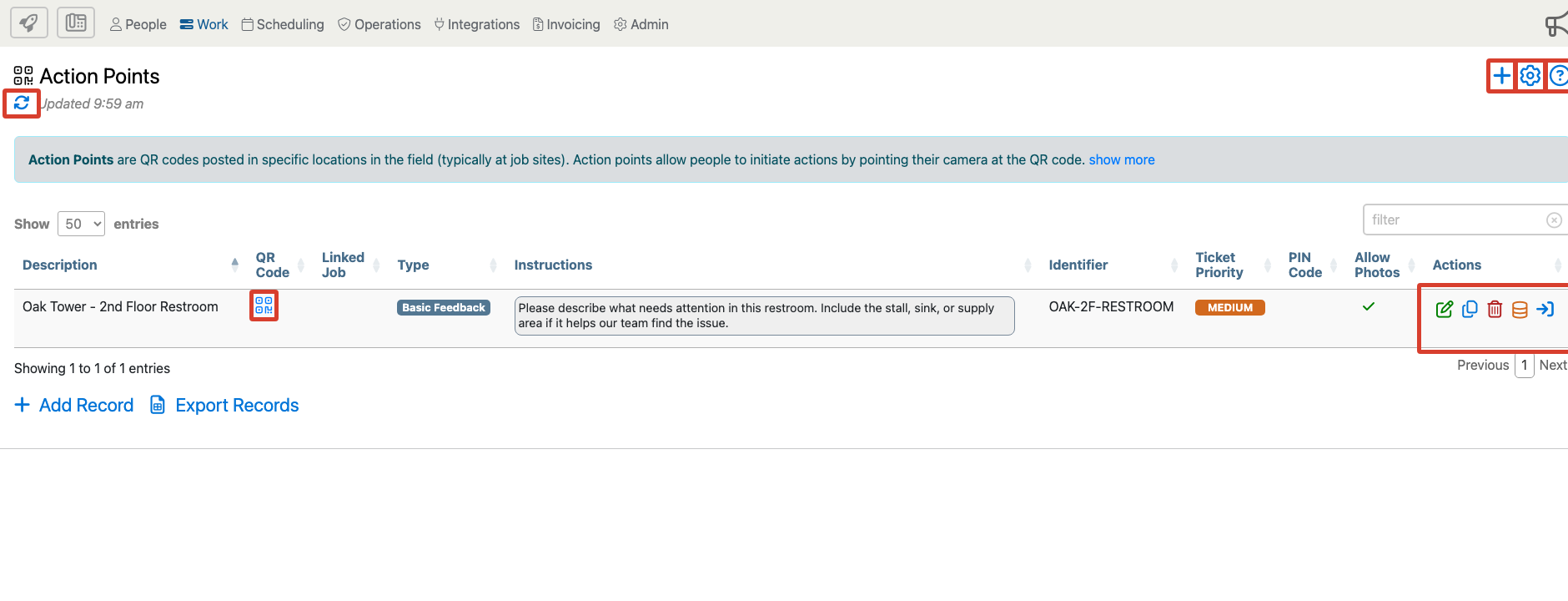
Open Work, choose Action Points, find the Action Point, then use the edit control in that row.
When To Edit Instead Of Create A New Action Point
Edit the existing Action Point when the same physical QR code should continue to represent the same location. For example, edit a restroom QR code when the instructions need to ask for a stall number, when the default priority changes, or when photo attachments should be turned on.
Create or clone a new Action Point when the request belongs to a different location, a different job, or a different workflow. Do not quietly repurpose a posted restroom feedback QR code into a guard request unless you also replace the printed sign and confirm the old purpose is no longer needed.
Edit Action Point Form
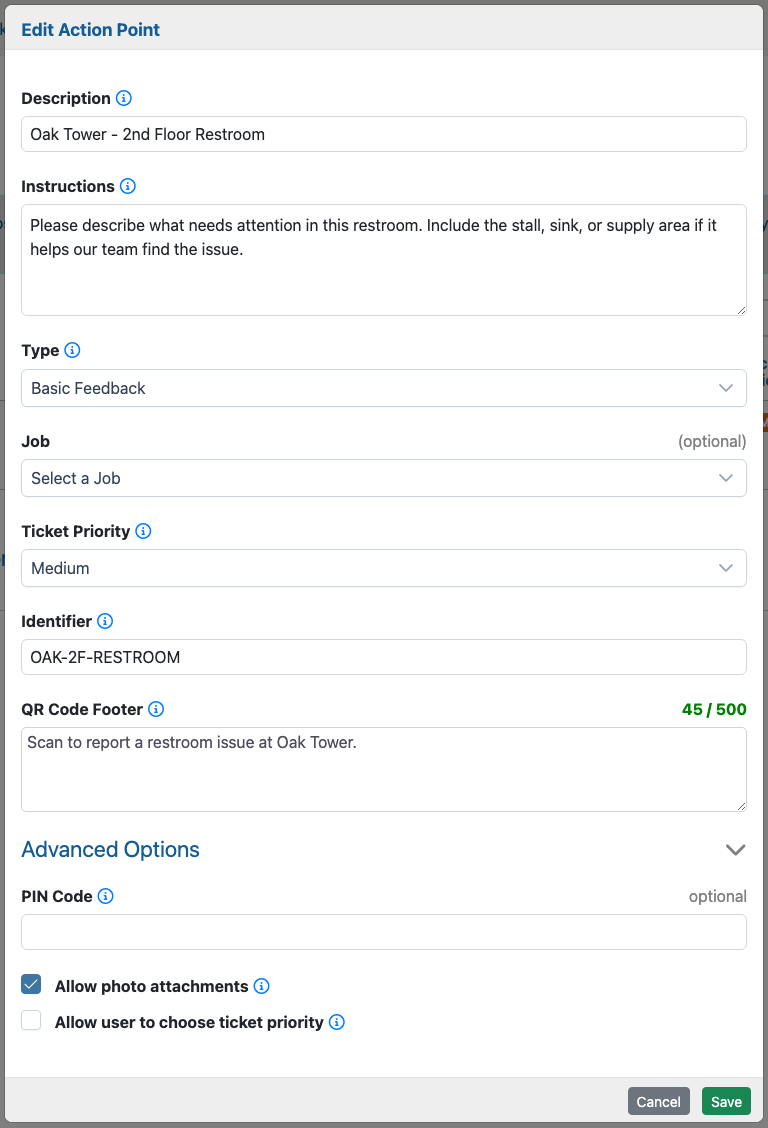
The Edit Action Point form uses the same fields as the Add Action Point form, with the current saved values already filled in.
Description
Confirm that the description still names the right location or purpose. If the QR code moved from one floor, entrance, restroom, or work area to another, update the description and decide whether the sign should be reprinted.
Instructions
Read the instructions from the requester's point of view. If people are submitting unclear requests, add the missing detail to the instructions. For example, ask for the stall, sink, suite, entrance, parking level, desk, or exact area.
Type
Review whether the Action Point should still use Basic Feedback or should use On-Site Worker Request when that workflow is enabled.
If you change the type, test the QR code from a phone before leaving the existing sign posted. A sign that says Report a restroom issue should not suddenly request a worker unless the printed wording also changes.
Job
Confirm that the linked job still matches the site or service area. This is especially important for on-site worker requests because worker availability is checked against the linked job.
Ticket Priority
Adjust the default ticket priority when the posted sign's urgency changes. If Allow user to choose ticket priority is enabled, make sure the requester audience can responsibly choose priority.
Identifier
Update the identifier if the floor, wing, suite, sign number, or internal location code changed. The identifier is included with generated tickets and helps admins distinguish similar Action Points.
QR Code Footer
Update the footer when the printed sign text should change. Reprint the QR sign whenever the footer no longer matches the live setup.
PIN Code
Add or update a PIN when the sign is posted in a public area or when you need to limit who can use it. Use a PIN for public on-site worker request signs because opening the request can reveal worker availability.
Allow Photo Attachments
Turn photos on when they help the response team understand the problem. Turn photos off when the request should stay fast and simple.
Allow User To Choose Ticket Priority
Use this setting carefully. It can help trained employees or supervisors report urgency accurately, but it may confuse public requesters or cause routine requests to be marked as urgent.
What Changes Require Reprinting?
Editing an Action Point keeps the QR code tied to the same record. The QR image can often stay in place. Reprint the sign when visible printed information changes, such as the description, QR Code Footer, public instructions, request type, or location label.
Always replace the sign if you clone the Action Point, create a new Action Point, delete the old one, move the sign to a different location, or change the workflow in a way the printed wording no longer explains.
Testing After An Edit
- Open the App View or scan the QR code from a phone.
- Confirm the requester sees the updated description, instructions, PIN behavior, photo option, and priority behavior.
- Submit a test request.
- Verify the Trouble Ticket or worker request has the correct origin, job, priority, identifier, comments, and attachments.
- For on-site worker requests, test that the linked job and worker type find the expected on-duty workers.
- Reprint the sign if the visible printed wording changed.
Examples
Instruction cleanup: Tenants keep submitting vague restroom requests. Edit the instructions to ask for the stall, fixture, supply area, or photo.
Job correction: A parking garage QR code was linked to the wrong job. Edit the Action Point, choose the correct garage job, then submit a test request and verify the ticket routes correctly.
Worker request rollout: A security company starts using on-site worker requests. Edit a lobby Action Point only if the same posted sign should now request a guard. Confirm the worker type, job, PIN, and printed wording before leaving the sign posted.
 in the Actions column for that action point. This will bring you to the Edit Action Point form. Here you can modify any of the settings for this action point. This will have the same fields as the Add Action Point form. Go to the Adding Action Points section of the manual to learn more about the form.