Change queue access

Enter password

Enter the password to open the change queue and review drafts.

V20260505.1901
Stage deploy healthy · Updated May 5, 3:01 PM

Viewing the current page. Start typing in the proposed side to make changes.

Current: Editing An Individual Shift

Administrative Portal > Scheduling > Shift Calendar > Editing An Individual Shift

To edit an individual shift, first search locate the job or employee it belongs to and select it in the drop down menu.
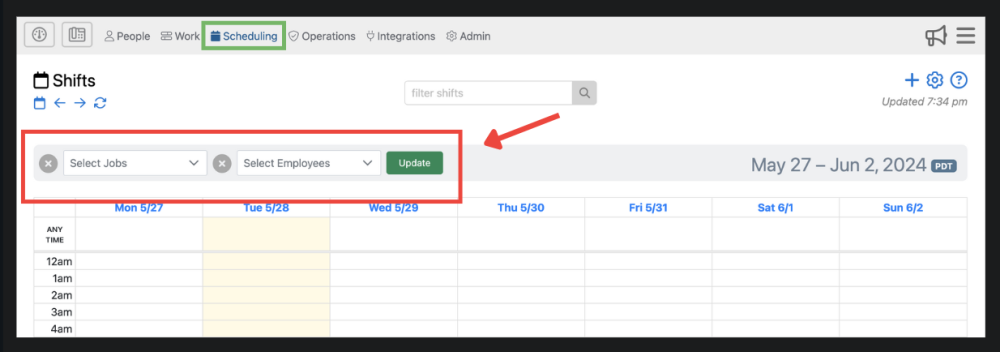
Afterwards you will be able to click on an individual shift that pertains to the job or employee you selected.
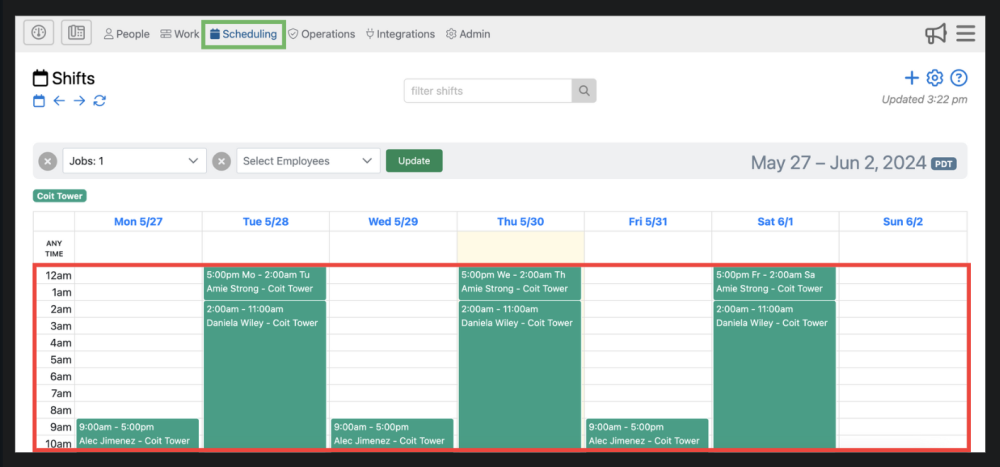
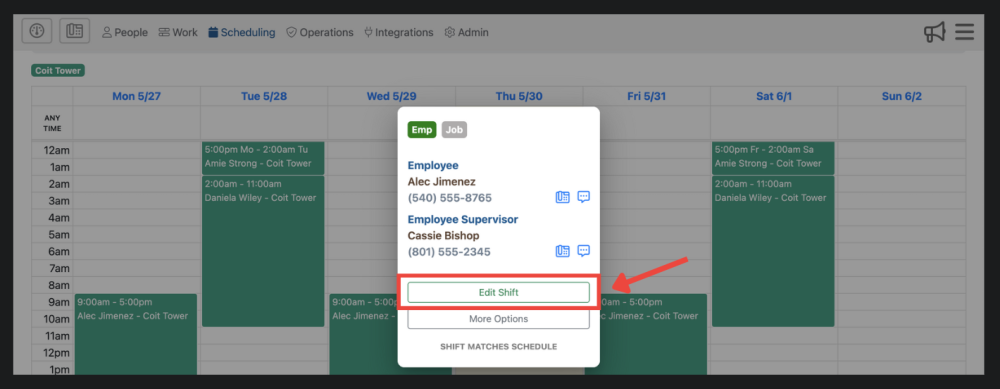
Once the shift is selected, you will be prompted to click “edit shift” in the popup window.
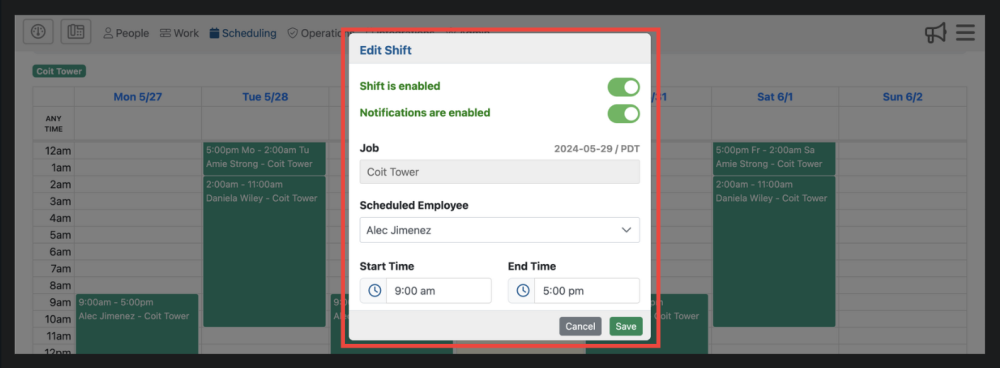
Now you will be able to make your changes to the individual shift.

Proposed: Editing An Individual Shift

Administrative Portal > Scheduling > Shift Calendar > Editing An Individual Shift

To edit an individual shift, first search locate the job or employee it belongs to and select it in the drop down menu.

Afterwards you will be able to click on an individual shift that pertains to the job or employee you selected.

Once the shift is selected, you will be prompted to click “edit shift” in the popup window.

Now you will be able to make your changes to the individual shift.