Current: Editing Contacts
The Edit Contact form is where you update an existing contact’s name, phone number, email address, linked client or vendor, notes, and address information.
Start from People > Contacts. To edit a contact, find the contact in the list and click the green edit icon in that row’s Actions column.
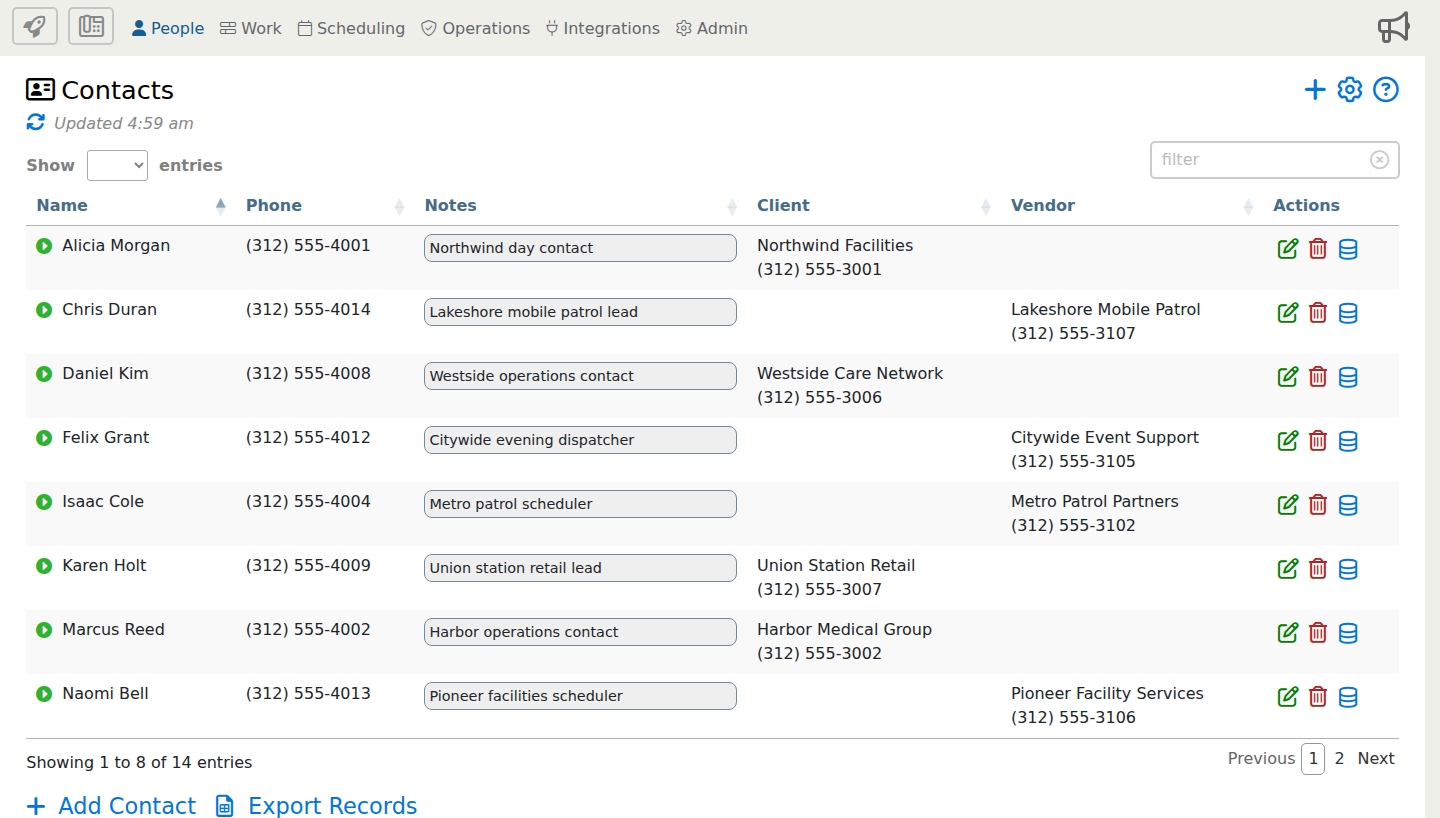
When the Edit Contact form opens, review the full form below. Use the blue i markers to jump to details about specific options.
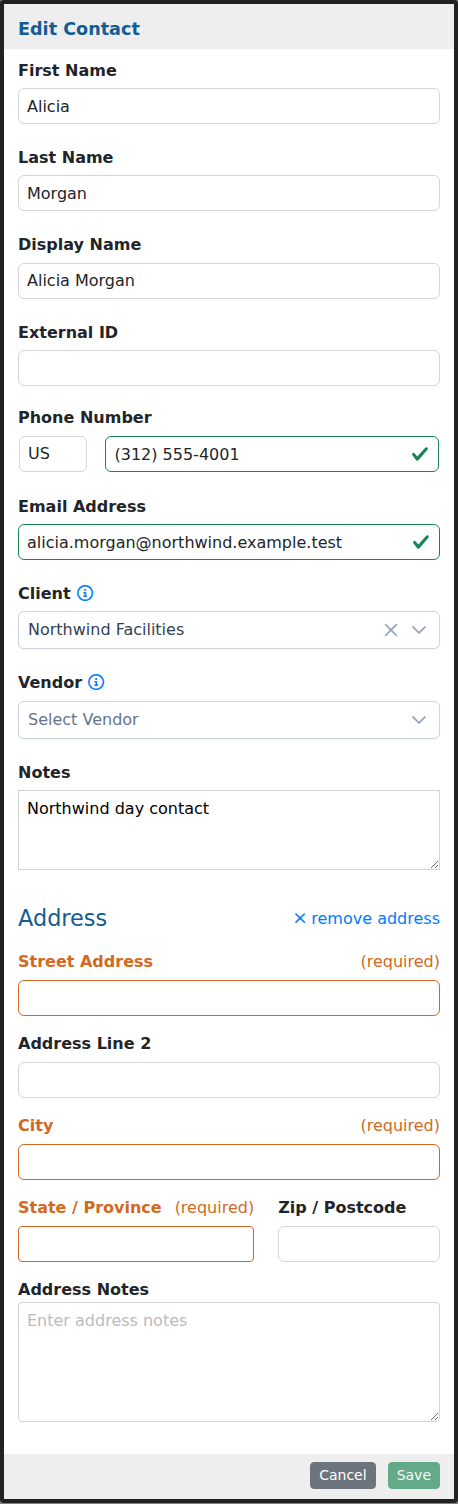
This example shows the full Edit Contact form. Some fields may appear only when your company uses contact linking, address tracking, or related communication options.
Option Descriptions
Contact Information
First Name
Enter the contact’s first name. The form uses the first and last name to help build the display name.
Last Name
Enter the contact’s last name. This helps keep individual contacts easy to search and identify.
Display Name
Use the display name for the way this person should appear in contact lists, linked records, and related communication areas.
External ID
Use this field when the contact needs to match an identifier from another system, import file, or back-office process.
Contact Methods
Phone Number
Store the contact’s phone number so office users can reference or use it when they need to call or text this person.
Email Address
Store the contact’s email address for follow-up, reporting, and communication tied to this contact.
Links And Notes
Client
Link this contact to a client when the person is associated with a customer or client account.
Notes
Add office notes that help your team understand who this contact is, when to use the record, or any special communication instructions.
Address
Address
Add an address when the contact should have a mailing address, work location, or other address detail stored on the record.
Address Line 2
Use this optional line for a suite, unit, building, floor, or other secondary address detail.
Address Notes
Use address notes for entrance details, delivery instructions, or other address-specific reminders.
After saving the contact, the updated information is available anywhere that contact is linked or referenced.