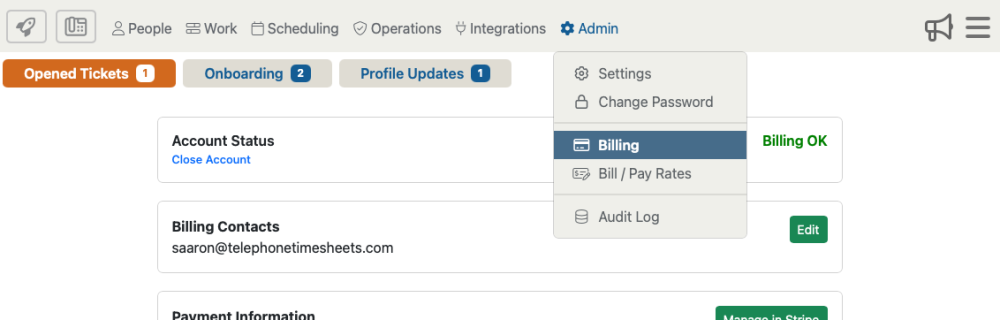
To close your account, you will click on “Admin” then “Billing” from the drop down menu.
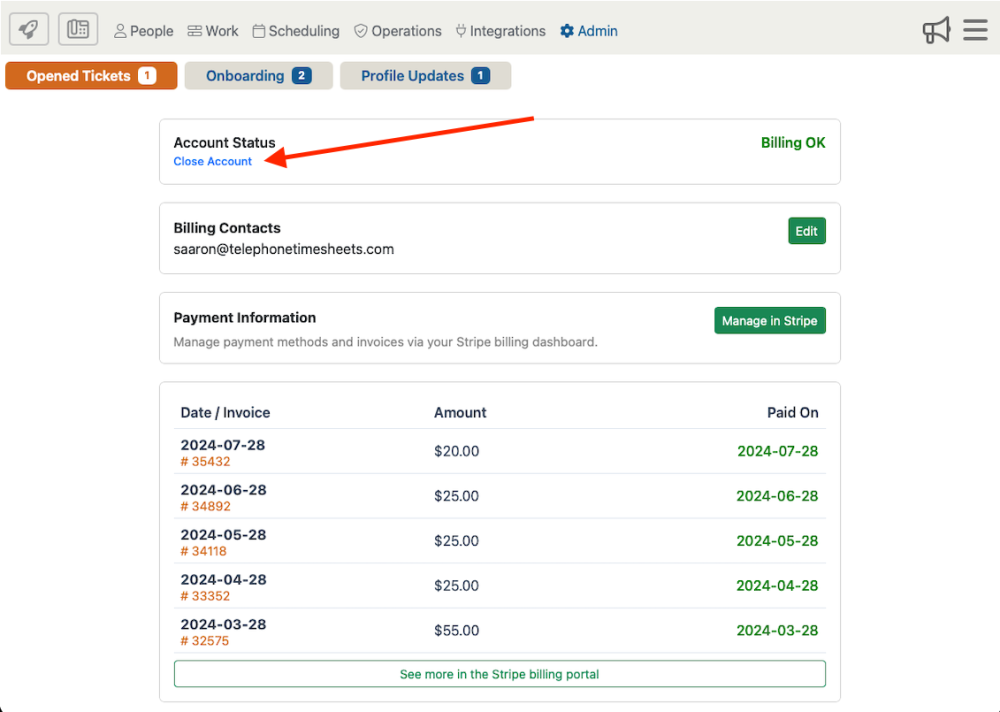
Click on the “Close Account” link to begin the process of closing your account permanently.
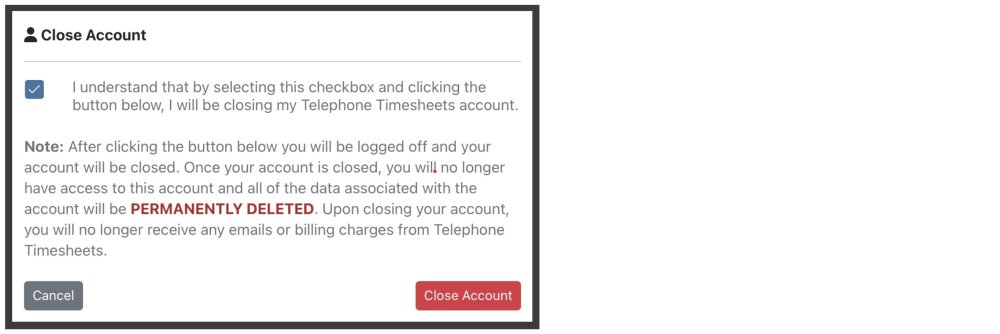
This will open the confirmation page where you must acknowledge your understanding that closing the account means you will no longer have access to the account and the data associated with it will be permanently deleted.
*Telephone Timesheets monthly billing is based on the number of employees with time entries plus the number of admins. So for companies that would like to stop using the system, but also want to maintain admin access to the data, it is possible to keep the account active for the minimum 1-user rate of just $5/month. That is the rate for a single admin with zero time entries. We only bill for employees that have time entries and admin that have access to the admin portal.