Change queue access

Enter password

Enter the password to open the change queue and review drafts.

Stage deploy healthy ยท Updated

Viewing the current page. Start typing in the proposed side to make changes.

Current: Invoicing

Administrative Portal > Invoicing

The top-level Invoicing menu groups the customer-invoice tools used to bill your own customers. It is separate from Telephone Timesheets subscription Billing.
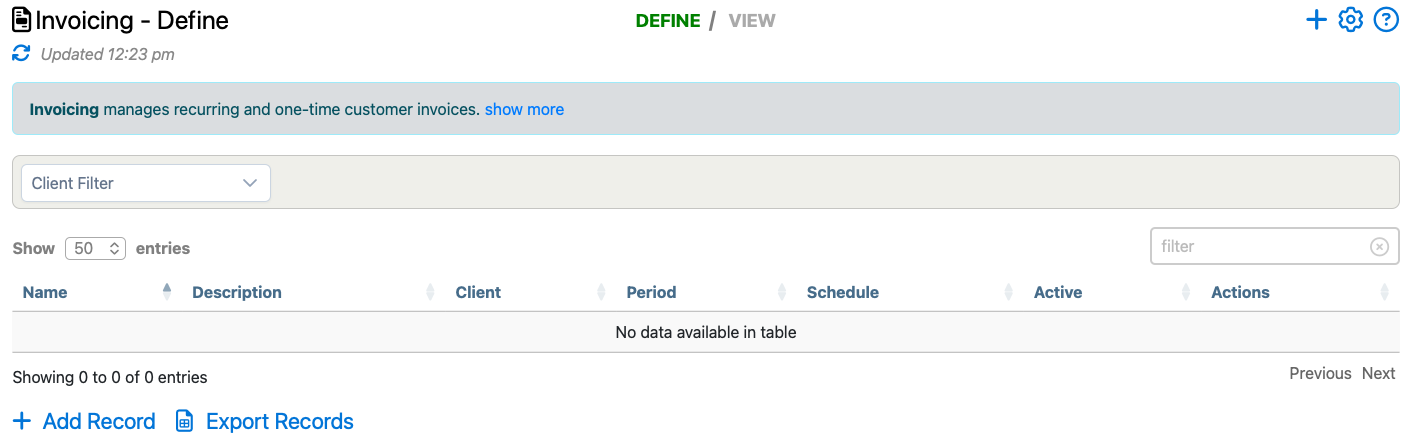
Invoices page example showing the invoice-definition view used from the Invoicing menu.

Where To Find It

Admins with invoicing access can open Admin > Invoicing.

The Invoicing menu currently includes two working areas:

  • Invoices to define invoice schedules and review generated invoice history
  • Payments to review payment events recorded against invoice records

How It Differs From Billing And Settings

Use Billing for Telephone Timesheets subscription charges, stored payment methods, and billing contacts.

Use Admin > Settings > Invoicing to manage company-wide invoice defaults such as numbering, terms, currency, Stripe linkage, and the default QuickBooks service item.

Proposed: Invoicing

Administrative Portal > Invoicing

The top-level Invoicing menu groups the customer-invoice tools used to bill your own customers. It is separate from Telephone Timesheets subscription Billing.

Invoices page example showing the invoice-definition view used from the Invoicing menu.

Where To Find It

Admins with invoicing access can open Admin > Invoicing.

The Invoicing menu currently includes two working areas:

  • Invoices to define invoice schedules and review generated invoice history
  • Payments to review payment events recorded against invoice records

How It Differs From Billing And Settings

Use Billing for Telephone Timesheets subscription charges, stored payment methods, and billing contacts.

Use Admin > Settings > Invoicing to manage company-wide invoice defaults such as numbering, terms, currency, Stripe linkage, and the default QuickBooks service item.