Change queue access

Enter password

Enter the password to open the change queue and review drafts.

V20260505.1901
Stage deploy healthy ยท Updated May 5, 3:01 PM

Viewing the current page. Start typing in the proposed side to make changes.

Current: Adding a New Dashboard

v000203/15/2026

Administrative Portal > Rocket Menu > Analytics Dashboards > Adding a New Dashboard

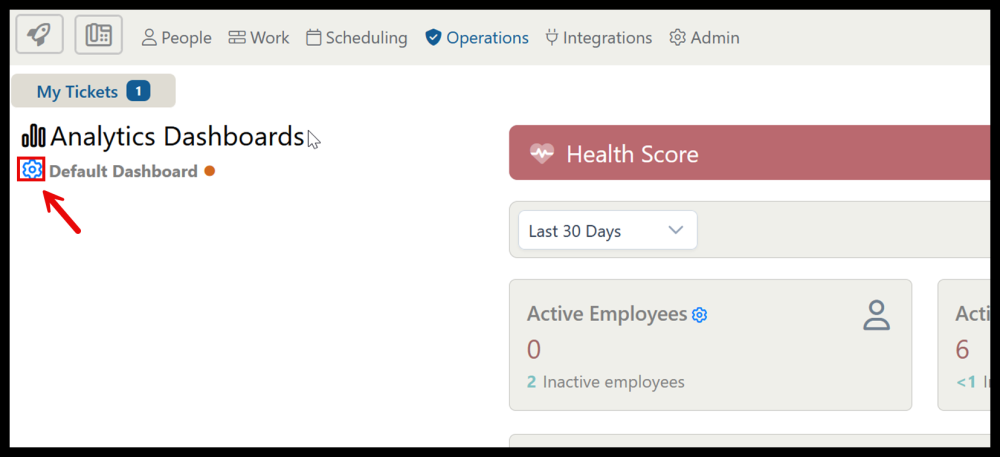
You can add a new dashboard by clicking the gear icon next in the top left.

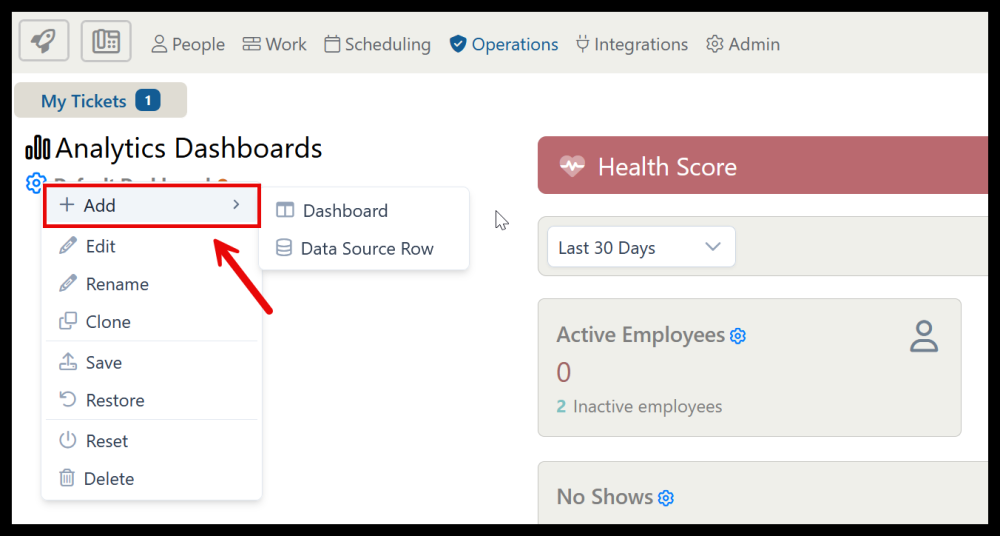
In the dashboard menu, select Add and choose dashboard to add a new dashboard. Alternatively, select Data Source Row to add a new row of blank cards to the currently selected dashboard.
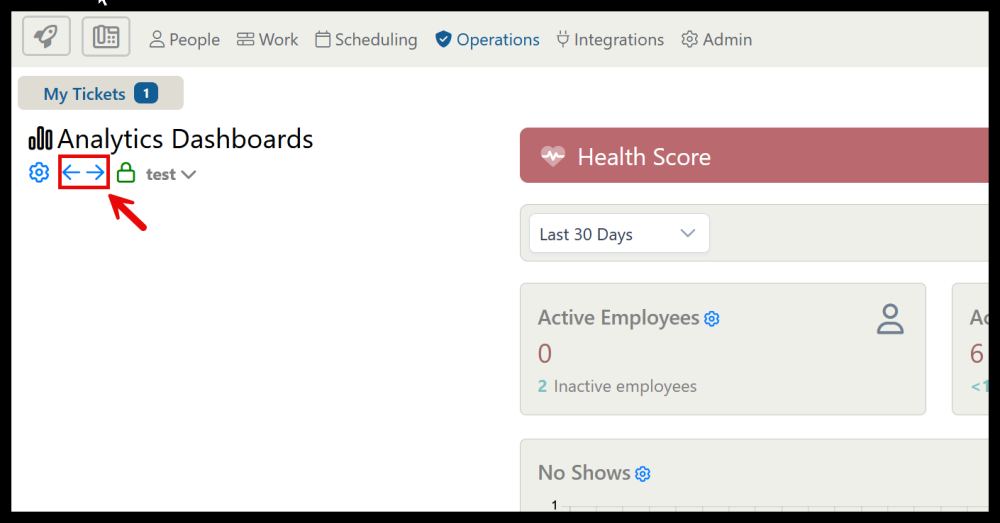
Use the arrows to switch between your created dashboard.
Proposed: Adding a New Dashboard

v000203/15/2026

Administrative Portal > Rocket Menu > Analytics Dashboards > Adding a New Dashboard

You can add a new dashboard by clicking the gear icon next in the top left.

In the dashboard menu, select Add and choose dashboard to add a new dashboard. Alternatively, select Data Source Row to add a new row of blank cards to the currently selected dashboard.

Use the arrows to switch between your created dashboard.