Change queue access

Enter password

Enter the password to open the change queue and review drafts.

V20260505.1901
Stage deploy healthy · Updated May 5, 3:01 PM

Viewing the current page. Start typing in the proposed side to make changes.

Current: Setup Integration

Administrative Portal > Integrations > QuickBooks > QuickBooks Online > Setup Integration

QuickBooks Online integration allows you to export your timesheet Time Entries directly to QuickBooks Online.
From there, you can view reports and run payroll using the timesheet data that has been recorded by Telephone Timesheets.

There are 4 steps to establishing a sync connection between Telephone Timesheets and QuickBooks Online.

Step 1: Click on the “CONNECT TO QuickBooks” button to start the process.
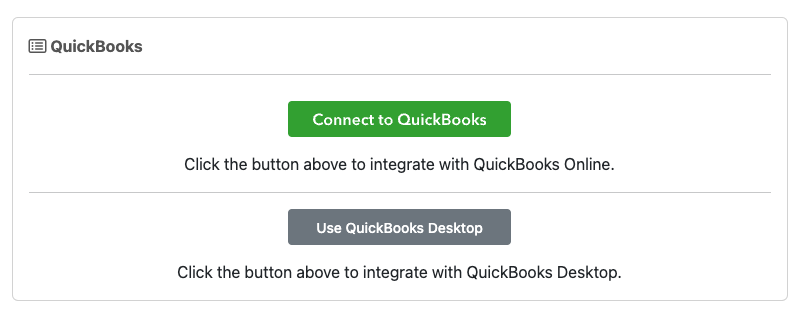
Note: You will need your QuickBooks Online credentials for the next step.

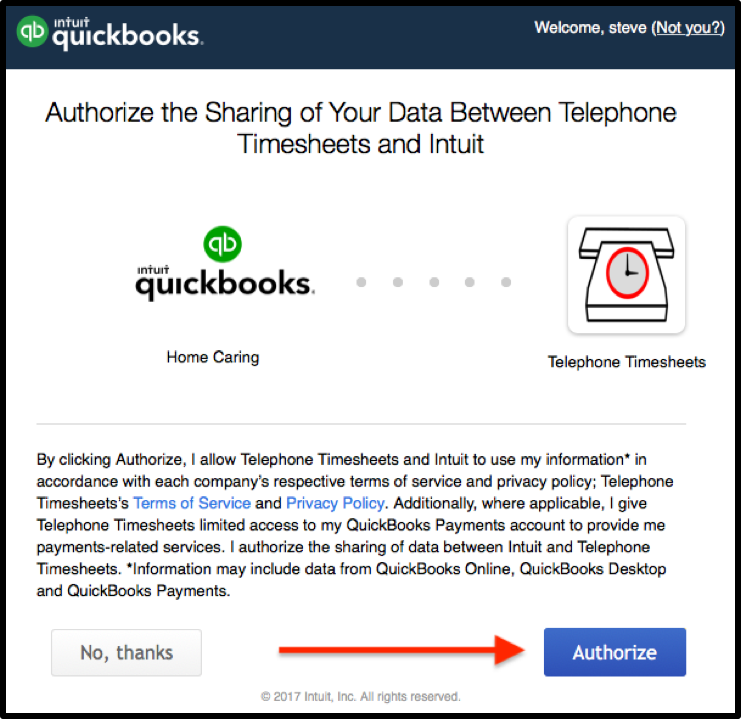
Step 2: Click on the “Authorize” button to authorize the integration between Telephone Timesheets and QuickBooks Online.
You will need your QuickBooks Online credentials to perform this authorization.
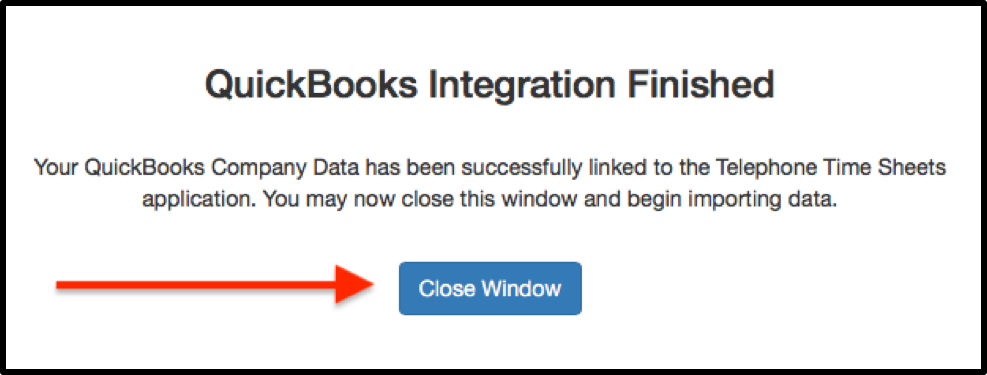
Step 3: Click on the “Close Window” button to return to the Telephone Timesheets admin portal.
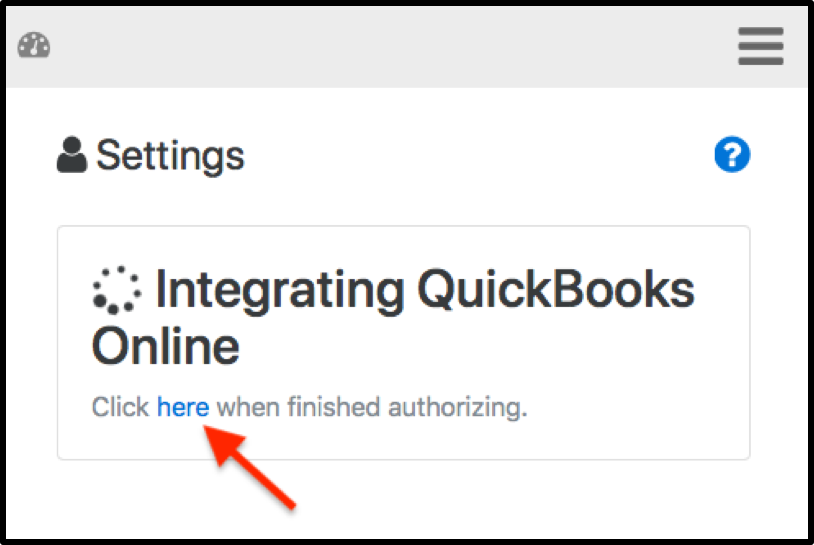
Step 4: Click on the link to finish.
Proposed: Setup Integration

Administrative Portal > Integrations > QuickBooks > QuickBooks Online > Setup Integration

QuickBooks Online integration allows you to export your timesheet Time Entries directly to QuickBooks Online.
From there, you can view reports and run payroll using the timesheet data that has been recorded by Telephone Timesheets.

There are 4 steps to establishing a sync connection between Telephone Timesheets and QuickBooks Online.

Step 1: Click on the “CONNECT TO QuickBooks” button to start the process.

Note: You will need your QuickBooks Online credentials for the next step.

Step 2: Click on the “Authorize” button to authorize the integration between Telephone Timesheets and QuickBooks Online.
You will need your QuickBooks Online credentials to perform this authorization.

Step 3: Click on the “Close Window” button to return to the Telephone Timesheets admin portal.

Step 4: Click on the link to finish.