Change queue access

Enter password

Enter the password to open the change queue and review drafts.

V20260505.1901
Stage deploy healthy ยท Updated May 5, 3:01 PM

Viewing the current page. Start typing in the proposed side to make changes.

Current: Submitting Checkpoints

Employee Instructions > Clock In By App > Submitting Checkpoints

Some jobs may require an employee to submit their location one or more times during a shift. With Checkpoints, an employee can update their location without clocking in/out of a job.

I order to submit a Checkpoint, you must first click Add Checkpoint from the employee web app.
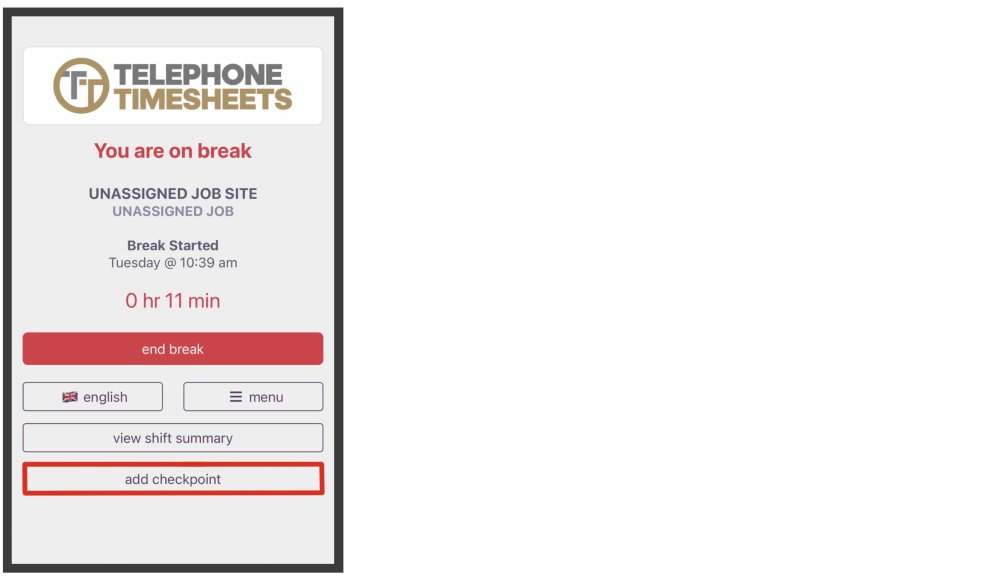
You will be brought to the Checkpoint page. Here you can enter any Checkpoint notes you feel necessary. Optionally, you can submit a Checkpoint photo.
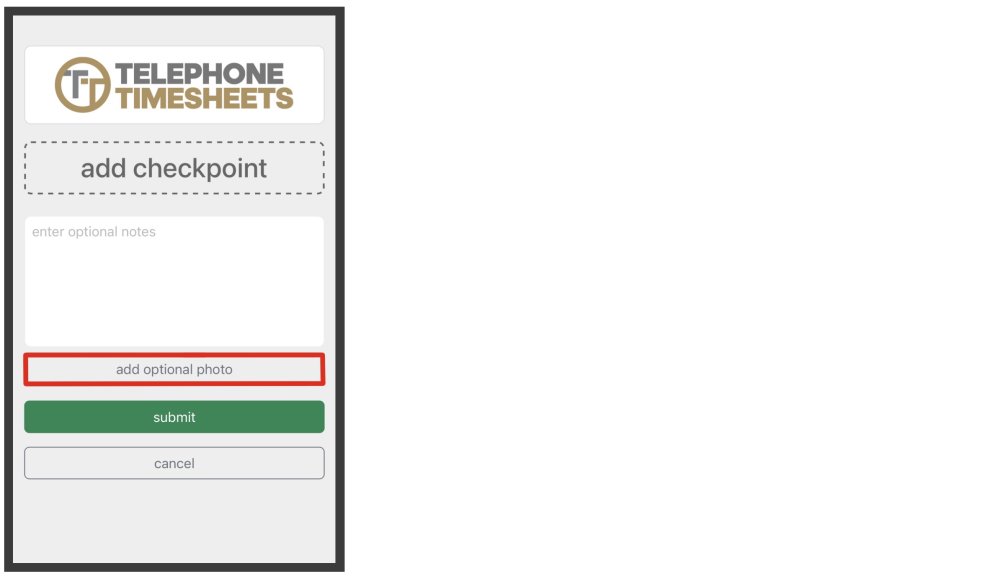
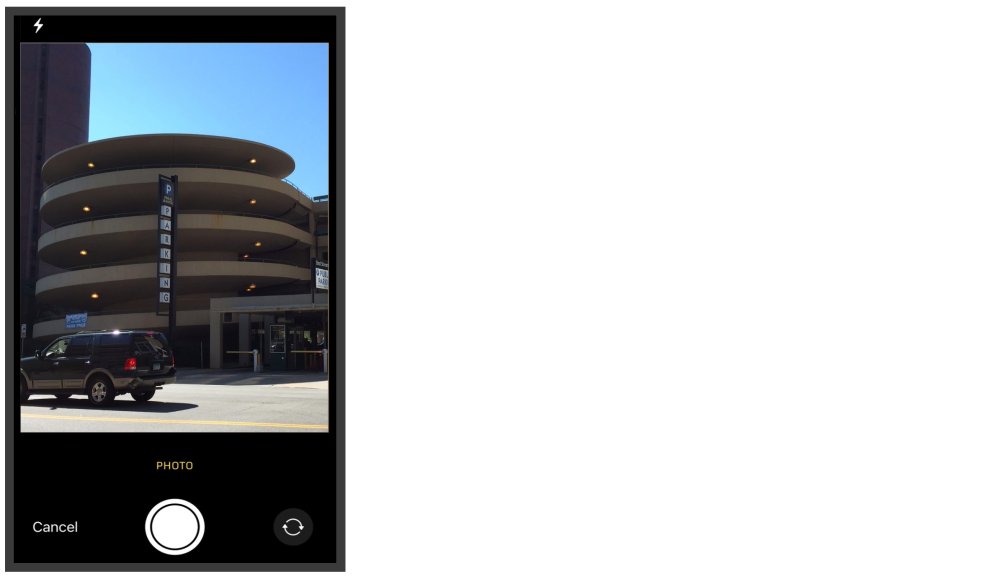
If submitting a Checkpoint photo, your mobile phone camera will open up for you to take a picture.
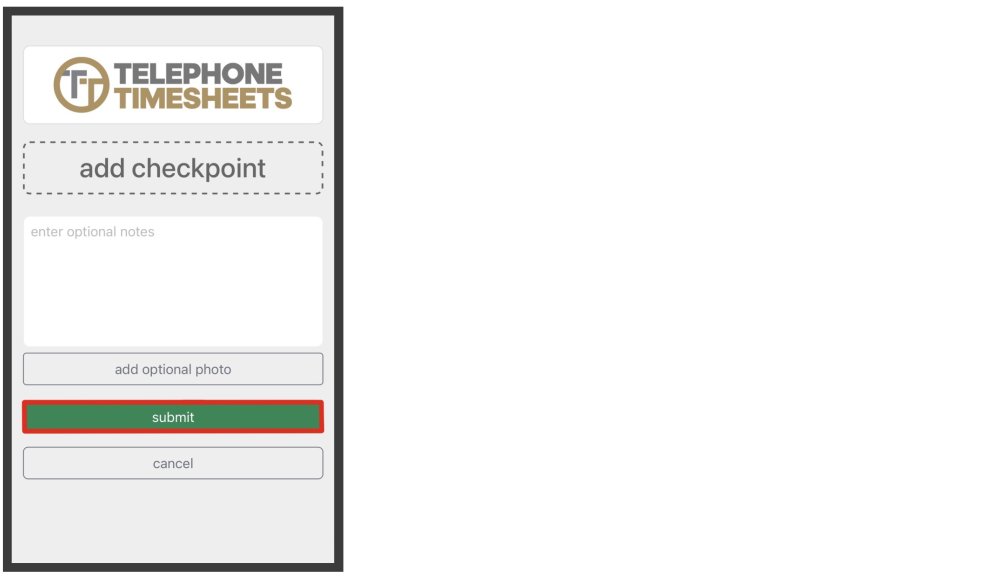
When you are done filling in information for your Checkpoint you can submit.
Proposed: Submitting Checkpoints

Employee Instructions > Clock In By App > Submitting Checkpoints

Some jobs may require an employee to submit their location one or more times during a shift. With Checkpoints, an employee can update their location without clocking in/out of a job.

I order to submit a Checkpoint, you must first click Add Checkpoint from the employee web app.

You will be brought to the Checkpoint page. Here you can enter any Checkpoint notes you feel necessary. Optionally, you can submit a Checkpoint photo.

If submitting a Checkpoint photo, your mobile phone camera will open up for you to take a picture.

When you are done filling in information for your Checkpoint you can submit.