Current: Editing Time Entries
You can edit a time entry by clicking on the green edit button  in the Actions column for that time entry. This will bring you to the Edit Time Entry form. Here you can modify an entries details. This will have the same fields as the Add Time Entry form. Go to the Adding Time Entries section of the manual to learn more about the form.
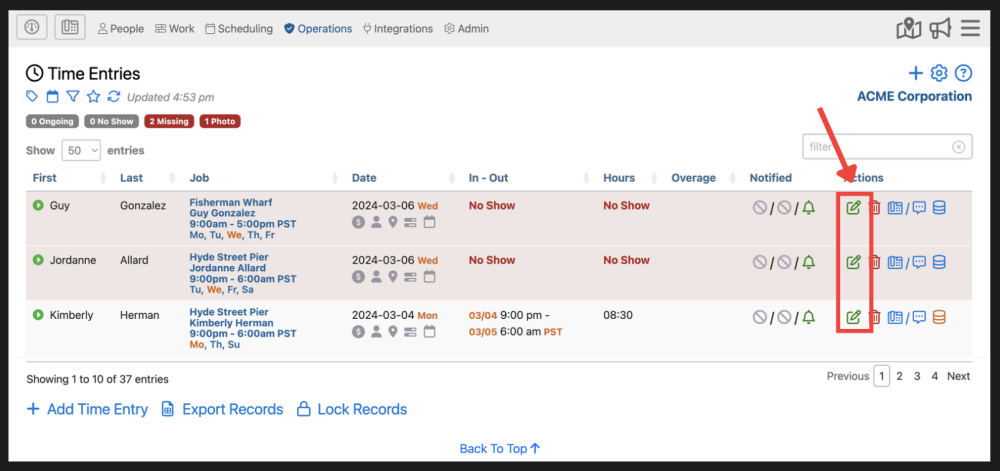
If you do not see the green Edit button, it is because the screen is too small and you will need to expand that entry by first clicking on the green arrow  immediately to the left of the entry.