Change queue access

Enter password

Enter the password to open the change queue and review drafts.

V20260505.1901
Stage deploy healthy ยท Updated May 5, 3:01 PM

Viewing the current page. Start typing in the proposed side to make changes.

Current: Delete QuickBooks Online Integration

Administrative Portal > Integrations > QuickBooks > QuickBooks Online > Delete QuickBooks Online Integration

If you decide to stop using QuickBooks Online, or just wish to stop using the integration between Telephone Timesheets and QuickBooks Online, you can remove the integration by clicking on the Edit button.
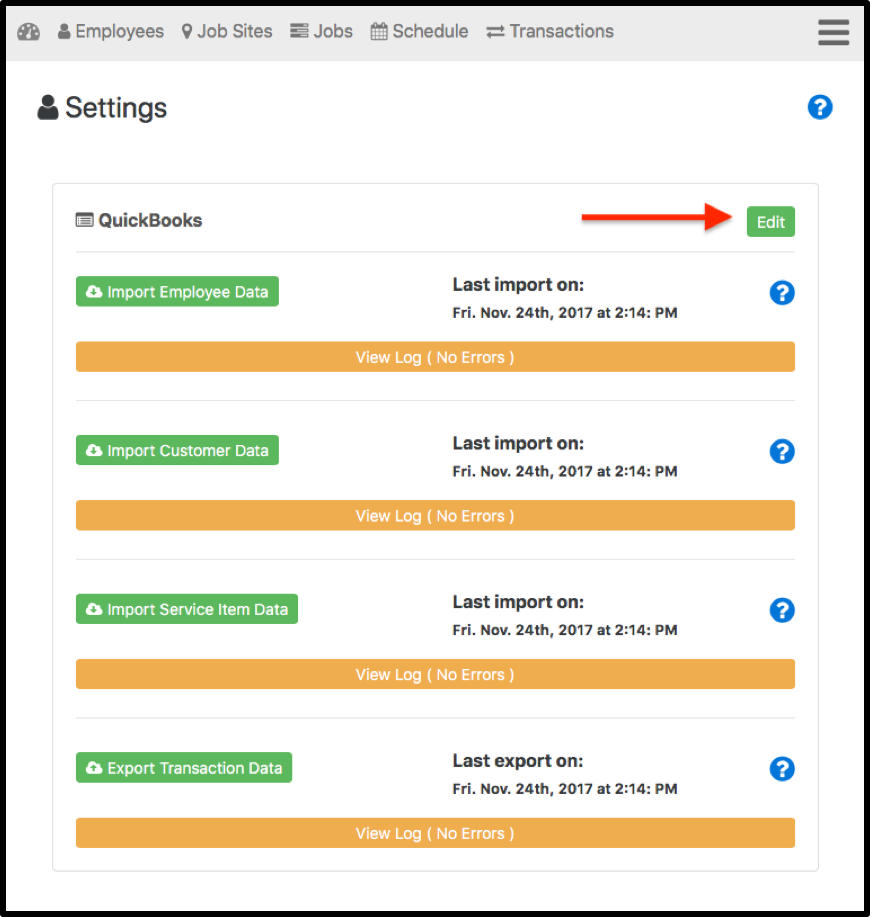
This exposes a Delete QuickBooks Link button. Click this button to permanently remove the QuickBooks Online integration.

Note: You can recreate the QuickBooks Online integration again later; however, you will have to re-enter any Customer Data or Service Item Data that you had previously associated with Telephone Timesheets Jobs.

Proposed: Delete QuickBooks Online Integration

Administrative Portal > Integrations > QuickBooks > QuickBooks Online > Delete QuickBooks Online Integration

If you decide to stop using QuickBooks Online, or just wish to stop using the integration between Telephone Timesheets and QuickBooks Online, you can remove the integration by clicking on the Edit button.

This exposes a Delete QuickBooks Link button. Click this button to permanently remove the QuickBooks Online integration.

Note: You can recreate the QuickBooks Online integration again later; however, you will have to re-enter any Customer Data or Service Item Data that you had previously associated with Telephone Timesheets Jobs.