The Add Contact form is where you create individual contact records for people your office may need to call, email, notify, or connect to clients and vendors.
Start from People > Contacts. You can open Add Contact from either the small blue plus icon  in the upper-right page controls or the larger + Add Contact button at the bottom of the Contacts page.
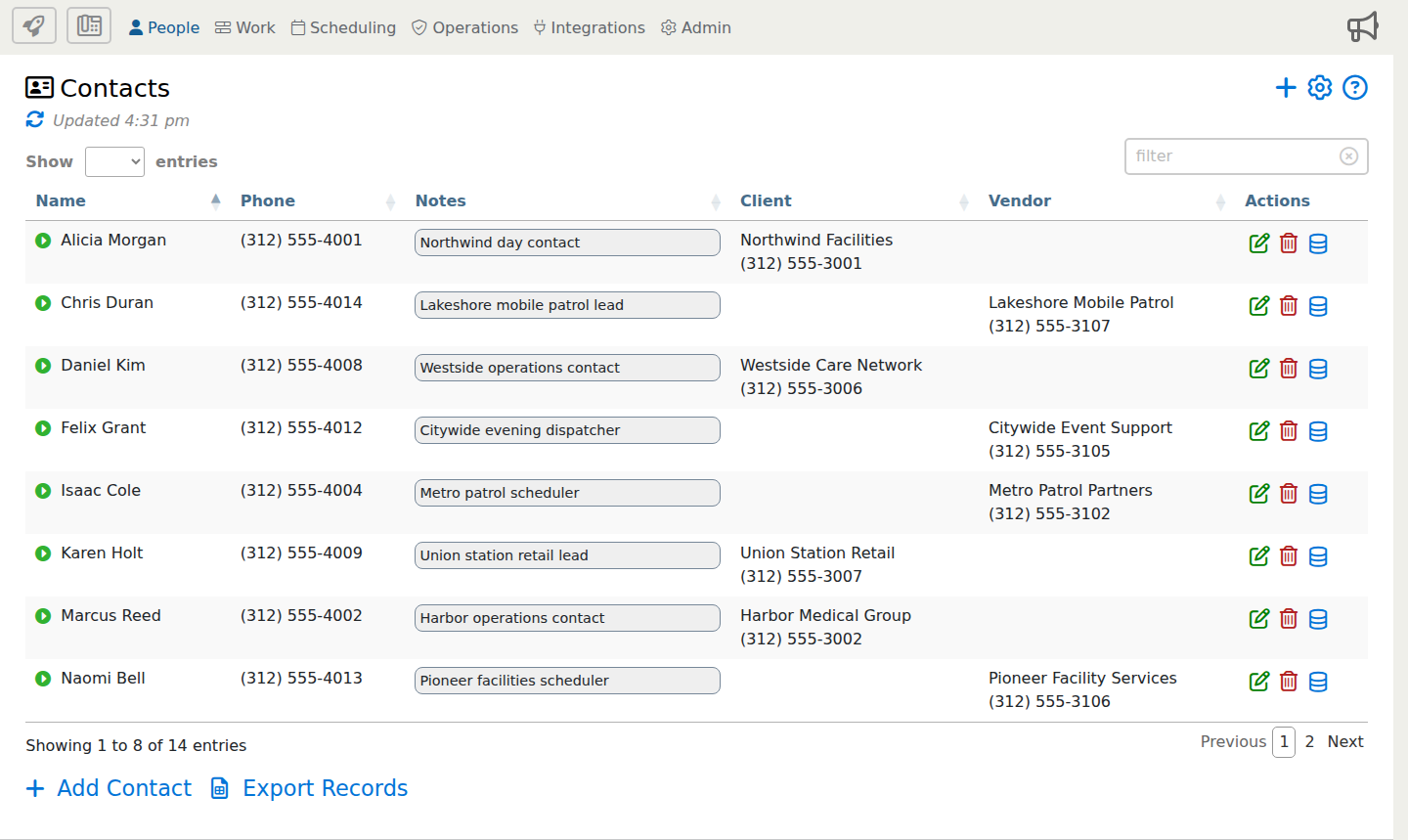
When the Add Contact form opens, review the full form below. Use the blue i markers to jump to details about specific options.
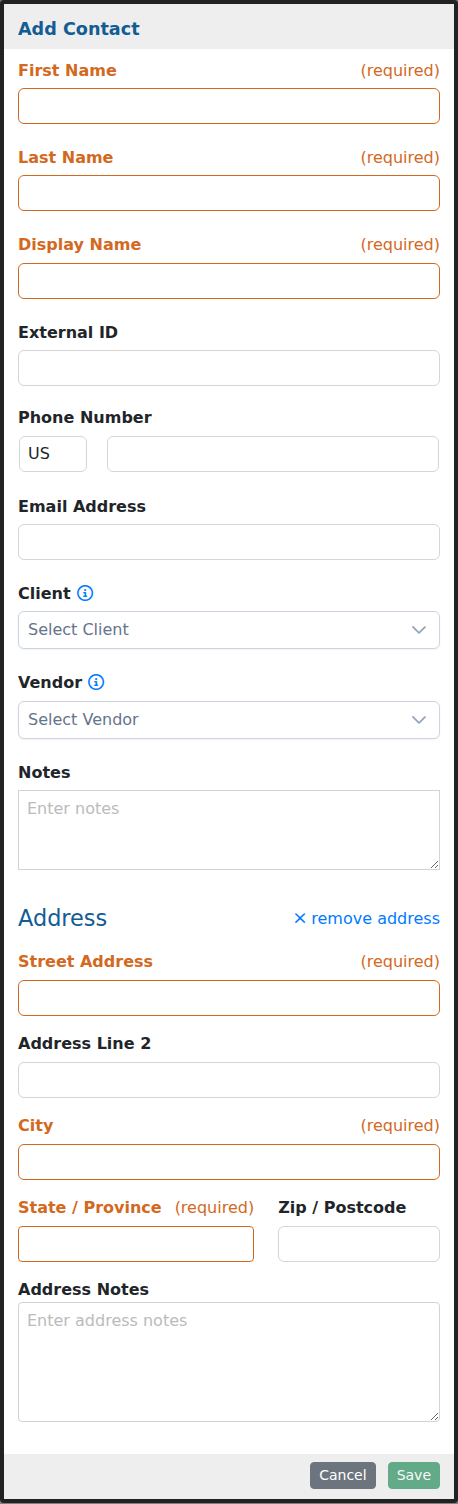
This example shows the full Add Contact form. Some fields may appear only when your company uses contact linking, address tracking, or related communication options.
Option Descriptions
Contact Information
First Name
Enter the contact’s first name. The form uses the first and last name to help build the display name.
Last Name
Enter the contact’s last name. This helps keep individual contacts easy to search and identify.
Display Name
Use the display name for the way this person should appear in contact lists, linked records, and related communication areas.
External ID
Use this field when the contact needs to match an identifier from another system, import file, or back-office process.
Contact Methods
Phone Number
Store the contact’s phone number so office users can reference or use it when they need to call or text this person.
Email Address
Store the contact’s email address for follow-up, reporting, and communication tied to this contact.
Links And Notes
Client
Link this contact to a client when the person is associated with a customer or client account.
Notes
Add office notes that help your team understand who this contact is, when to use the record, or any special communication instructions.
Address
Address
Add an address when the contact should have a mailing address, work location, or other address detail stored on the record.
Address Line 2
Use this optional line for a suite, unit, building, floor, or other secondary address detail.
Address Notes
Use address notes for entrance details, delivery instructions, or other address-specific reminders.
After saving the contact, you can link that person to client or vendor records and use the contact information anywhere the related account is referenced.